

SEO for Squarespace: Image Size Optimization
Why your platform is probably killing your rankings
If you read my SEO for Photographers guide, you know image optimization is one of the most impactful things you can do for your website. But if you're on Squarespace, you've got a bigger problem than just image sizes.
Squarespace loads a mountain of JavaScript before your content even appears. We're talking 2-6 seconds of load time you have zero control over. That's built into the platform. No settings change, no plugin, no hack will fix it.
This means image optimization isn't optional for Squarespace users. It's survival.
The Squarespace Problem
I get the appeal of Squarespace. Drag and drop. Pretty templates. No coding required. But in 2026, "pretty" doesn't cut it. Google cares about speed, and Squarespace is slow by default.
Every time someone visits your Squarespace site, their browser downloads:
- • The core Squarespace JavaScript framework
- • Your template's JavaScript
- • Analytics and tracking scripts
- • Font files
- • Then, finally, your images
Most of this happens before visitors see anything meaningful. If your images are also massive, you're stacking delays on top of delays.
Core Web Vitals matter for Google rankings. Squarespace makes hitting good scores genuinely difficult. But if you're stuck with Squarespace for now, image optimization is your best defense.
Understanding Image File Types
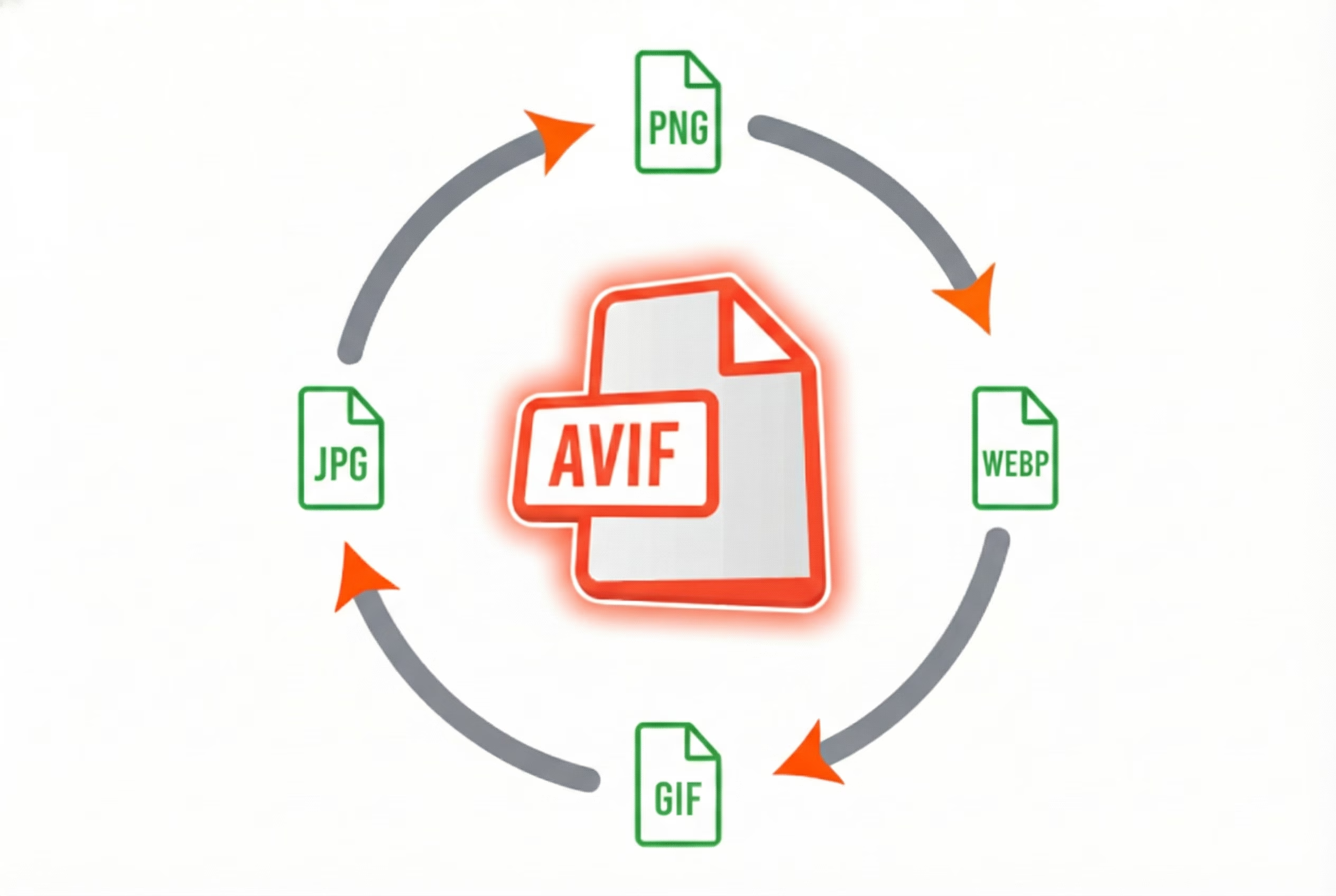
Not all image formats are equal. Quick breakdown:
JPEG: The classic. Decent compression, universal support. What you're probably using now.
PNG: Larger files. Use only when you need transparency. Not ideal for photos.
WebP: Google's format. 25-35% smaller than JPEG with similar quality. Good choice if you can't use AVIF.
AVIF: The new standard. 50% smaller than JPEG with better quality. This is what you want in 2026.
AVIF has near-universal browser support now. There's no reason not to use it. Smaller files, better quality, faster load times. Win-win-win.
Squoosh: The Best Free Tool
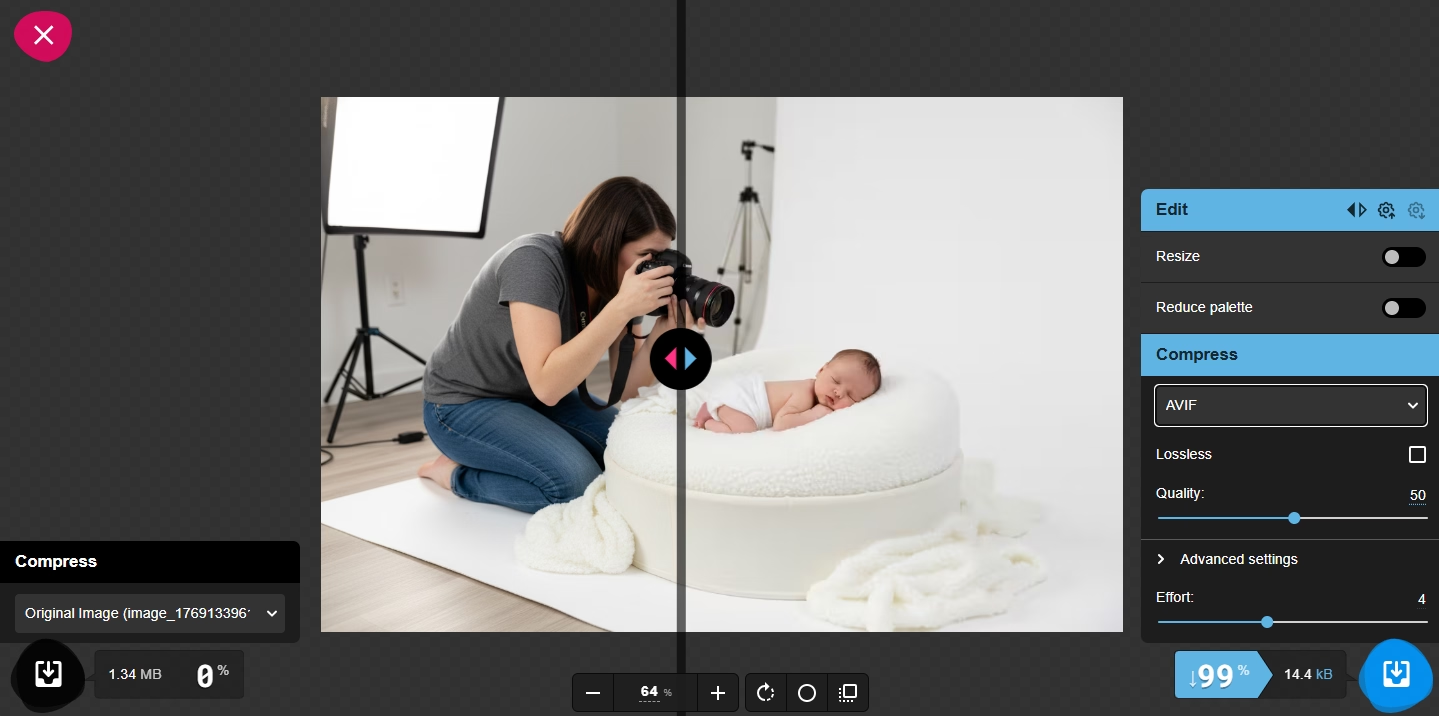
I've tried everything. Squoosh wins.
It's free, runs in your browser, and gives you precise control over compression. You select AVIF from the dropdown, and it starts at 50% compression. If the file is still too large, slide down to 30% or even 20% while watching the before/after preview.
My workflow:
- Export from Lightroom at reasonable quality (no need for maximum)
- Drop into Squoosh
- Select AVIF format
- Adjust compression until file is under 100KB for most images, under 200KB for hero images
- Download and upload to website
That's it. No plugins. No subscriptions. Just a free browser tool that works better than anything else I've found.
What Size Should Your Images Be?
Target file sizes for web:
- Hero/header images: Under 200KB
- Portfolio images: Under 100KB
- Thumbnails: Under 50KB
- Blog images: Under 100KB
For dimensions, 2000px on the longest side is plenty for most uses. Your clients aren't zooming to 100% on their phones. A 2000px wide image displayed at 1000px still looks sharp on retina displays.
Remember: Google's Core Web Vitals measure Largest Contentful Paint (LCP). That's typically your hero image. If that image takes forever to load, your score tanks and rankings suffer.
Consider External Hosting

Advanced move: host your images externally. Squarespace's servers add overhead. Cloud storage like Cloudflare R2 (what I use) or Amazon S3 can serve images faster.
This requires some technical know-how - you'll need to embed images via HTML or custom code blocks. But the speed improvement can be significant.
Cloudflare R2 is particularly attractive because egress (data transfer out) is free. You pay only for storage, and images are dirt cheap to store.
The Real Solution: Leave Squarespace
I'm going to be blunt: Squarespace isn't built for photographers who care about SEO in 2026.
You can optimize images all day, but you're fighting the platform itself. That 2-6 second JavaScript delay? It's baked in. There's no escaping it within Squarespace.
My website loads in under a second. It costs $11/year (domain only). It ranks on page one for my target keywords. And I built it with AI tools in four days.
I cover website platforms and modern alternatives in my SEO for Photographers guide. If you're serious about competing in 2026, consider whether Squarespace is holding you back.
Quick Wins for Squarespace Users
If you're staying on Squarespace for now, here's your action list:
- Convert all images to AVIF using Squoosh
- Compress aggressively - aim for under 100KB per image
- Resize before uploading - 2000px max on longest side
- Prioritize your homepage - this is where first impressions happen
- Audit your galleries - if you have 50 images on a page, each one better be tiny
- Remove unused images - they still load in the background
- Test with PageSpeed Insights - know your baseline and track improvement
These optimizations won't fix Squarespace's fundamental issues, but they'll make the best of a difficult situation.
Want the Full SEO Guide?
Image optimization is just one piece. Get the complete strategy.
Read the Full SEO GuideAnna Bauman is a Pittsburgh photographer who ditched Squarespace for a custom-built site that loads faster and ranks higher. She now helps other photographers escape platform limitations.